Luxury
Fragrance
Intelligence
An end-to-end data pipeline reverse-engineering Fragrantica community reviews to uncover the hidden mathematical patterns of olfactory preferences. From raw web scrapes to executive-ready market intelligence.
60,000+
Validated Perfumes
1,000+
Global Brands
100%
Rating Bias Corrected
Tech Stack
Where Scent Meets Data Science
The global fragrance market is saturated, but what truly drives consumer loyalty? This project moves beyond aggressive marketing to dissect why a scent sells. The mission is to uncover correlations between scent profiles (accords) and true consumer consensus, identifying high-performing product structures by stripping away the noise of sheer marketing volume.
Fragrantica.com
Data Source
60,000+
Perfumes Validated
1,000+
Global Brands
2018 - 2025
Time Period
Project Objectives
Identify which fragrance notes drive the highest consumer ratings across luxury houses
Build a weighted rating model that corrects for review volume bias in raw averages
Segment consumer preferences by fragrance family (Fresh, Warm, Oriental, Woody)
Surface actionable product positioning recommendations via Power BI dashboard
Python Pipeline
Architecture
The raw dataset contained over 70,000 loosely structured records with nested arrays and heavily concatenated text.
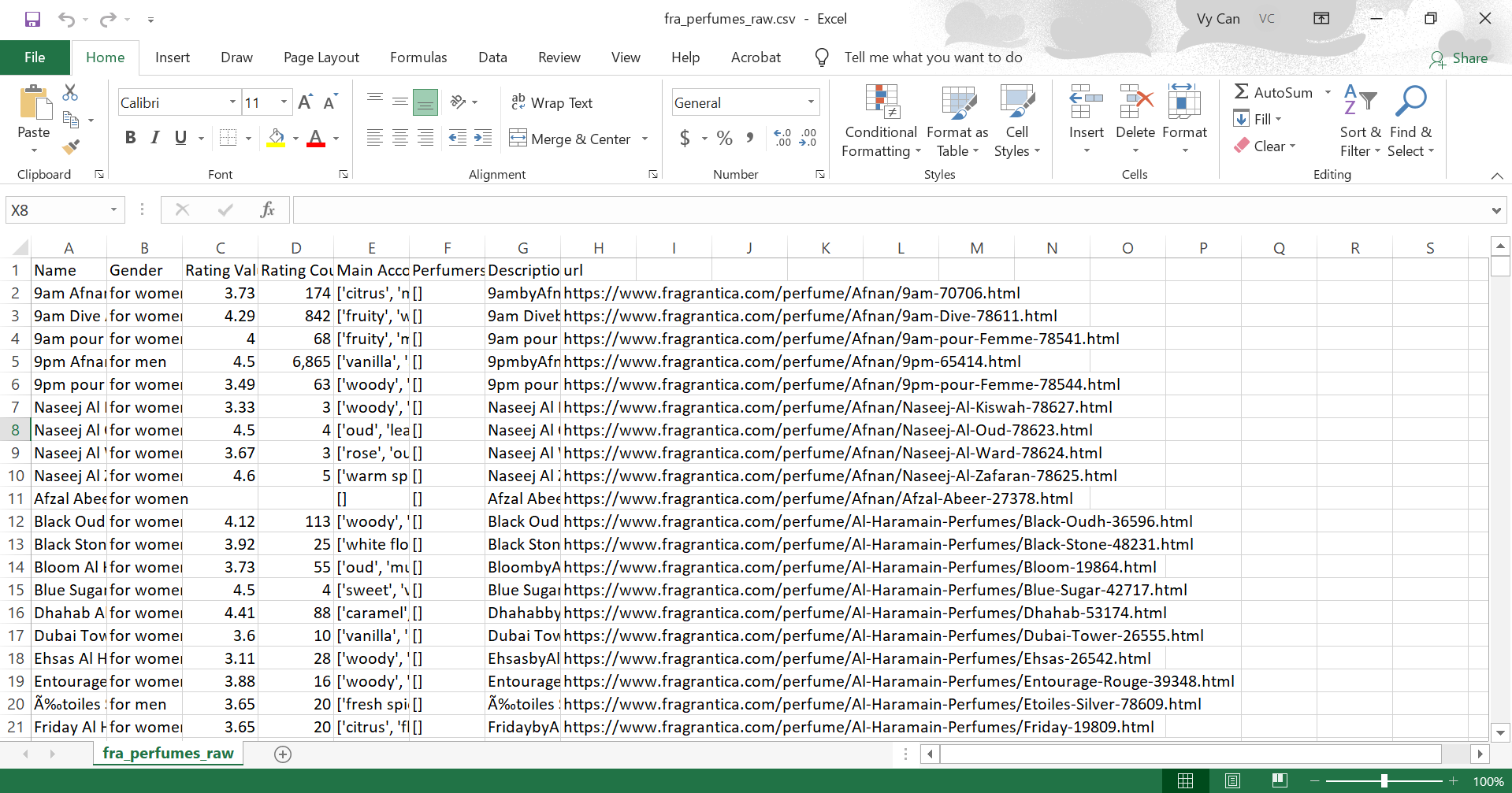
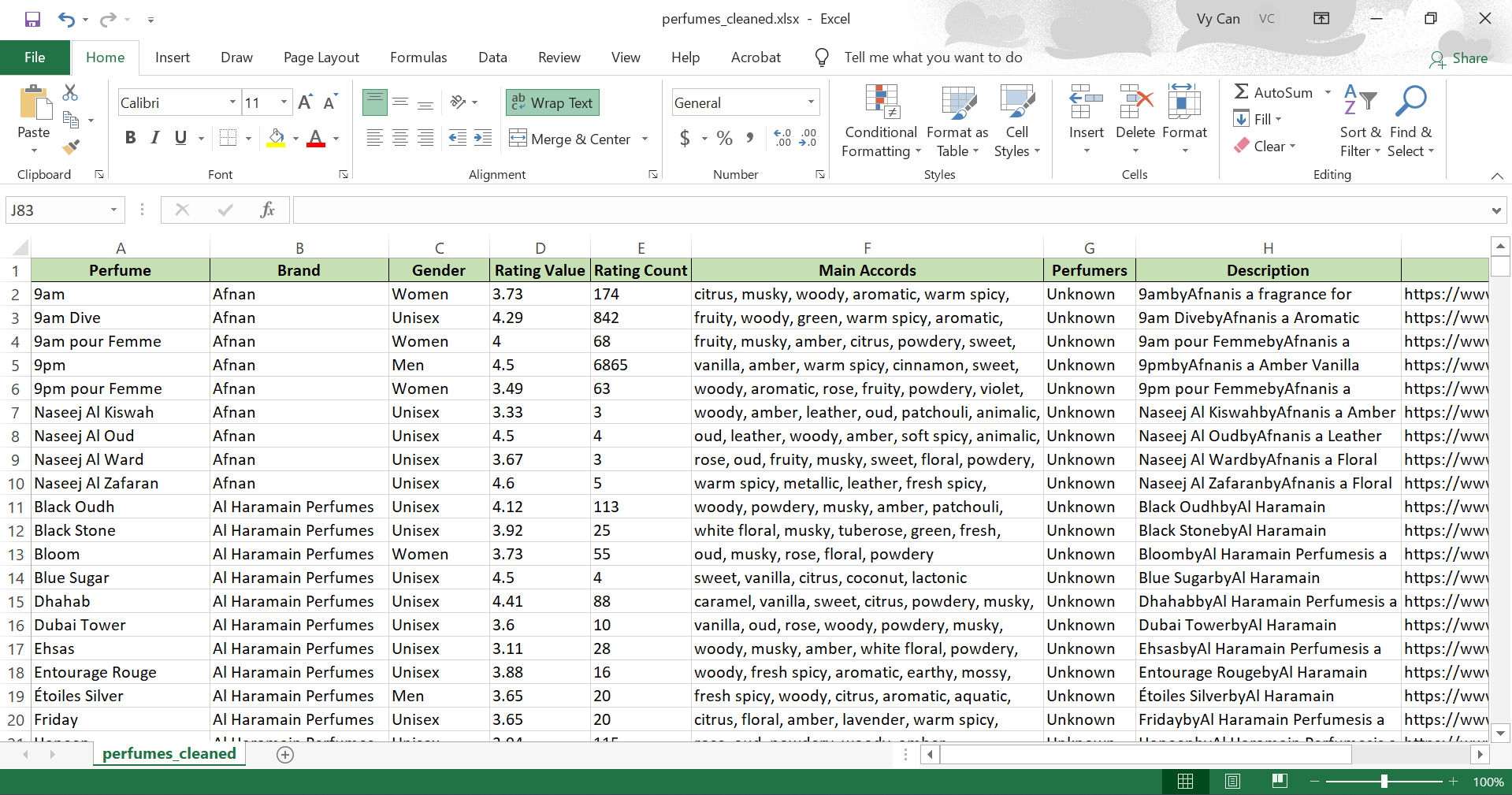
Regex Alchemy
Structured top-heart-base notes from raw text using regex, while cleaning product identities by removing URL noise and extracting brand signals.
pattern = r'(?:top notes?|heart notes?|base notes?):\s*([^\n]+)'df['notes_structured'] = df['raw_notes'].str.extract(pattern, expand=False)
Array Un-nesting
Flattened nested note arrays into row-level format, enabling granular analysis of individual accords driving preferences.
df_exploded = df.explode('note_array').reset_index(drop=True)df_clean = df_exploded.dropna(subset=['note_array'])
Type Casting & Normalization
Standardized mixed data types (ratings, dates, brands) to ensure consistency for downstream analysis.
df['rating'] = pd.to_numeric(df['rating'], errors='coerce')df['review_date'] = pd.to_datetime(df['review_date'])df['brand'] = df['brand'].astype('category')
Strategic Imputation
Handled missing values with rule-based imputation, preserving dataset scale and analytical integrity.
df[text_cols] = df[text_cols].fillna('Unknown')df['rating'] = df['rating'].fillna(0.0)
Uncovering True Consensus & Bias Correction
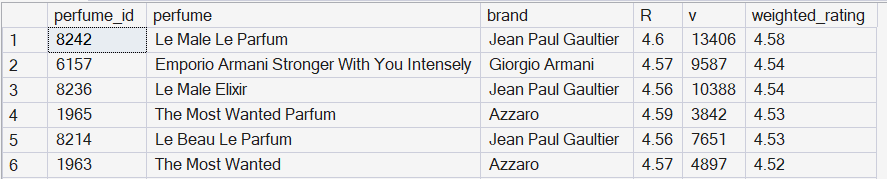
Naive averages distort rankings: low-vote niche perfumes can outperform globally validated fragrances. To address this, I implemented a Bayesian-style Weighted Rating model in SQL Server. The minimum vote threshold (m) was dynamically derived using PERCENTILE_CONT(0.9), ensuring fair ranking across both niche and high-volume products.
Exploratory Data Analysis
Mean raw rating across all reviews
Standard deviation - tight clustering
Reviews with <10 votes flagged as biased
Chanel reviewed more than any other house
Weighted Rating Formula
-- Top 20 Fragrances (Weighted Rating)DECLARE @C FLOAT = (SELECTSELECT AVG(CAST(rating_value ASAS FLOAT))FROMFROM perfumesWHEREWHERE rating_value IS NOTNOT NULL);DECLARE @m FLOAT = (SELECTSELECT PERCENTILE_CONT(0.9)WITHIN GROUP (ORDER BYORDER BY rating_count) OVER ()FROMFROM perfumesWHEREWHERE rating_count IS NOTNOT NULL);SELECTSELECT TOP 20perfume_id, perfume, brand,rating_value ASAS R, rating_count ASAS v,ROUND((rating_count * 1.0 / (rating_count + @m)) * rating_value +(@m / (rating_count + @m)) * @C, 2) ASAS weighted_ratingFROMFROM perfumesWHEREWHERE rating_count IS NOTNOT NULLORDER BYORDER BY weighted_rating DESC;
Intelligence Visualized
The final weighted logic was encapsulated in a SQL VIEW (dbo.perfume_weighted) to feed a live analytical layer in Power BI. The dashboard was designed with a top-down analytical flow: Macro-Level for global market structure and brand dominance, and Micro-Level for granular performance of specific Olfactory Notes with fully dynamic slicers.
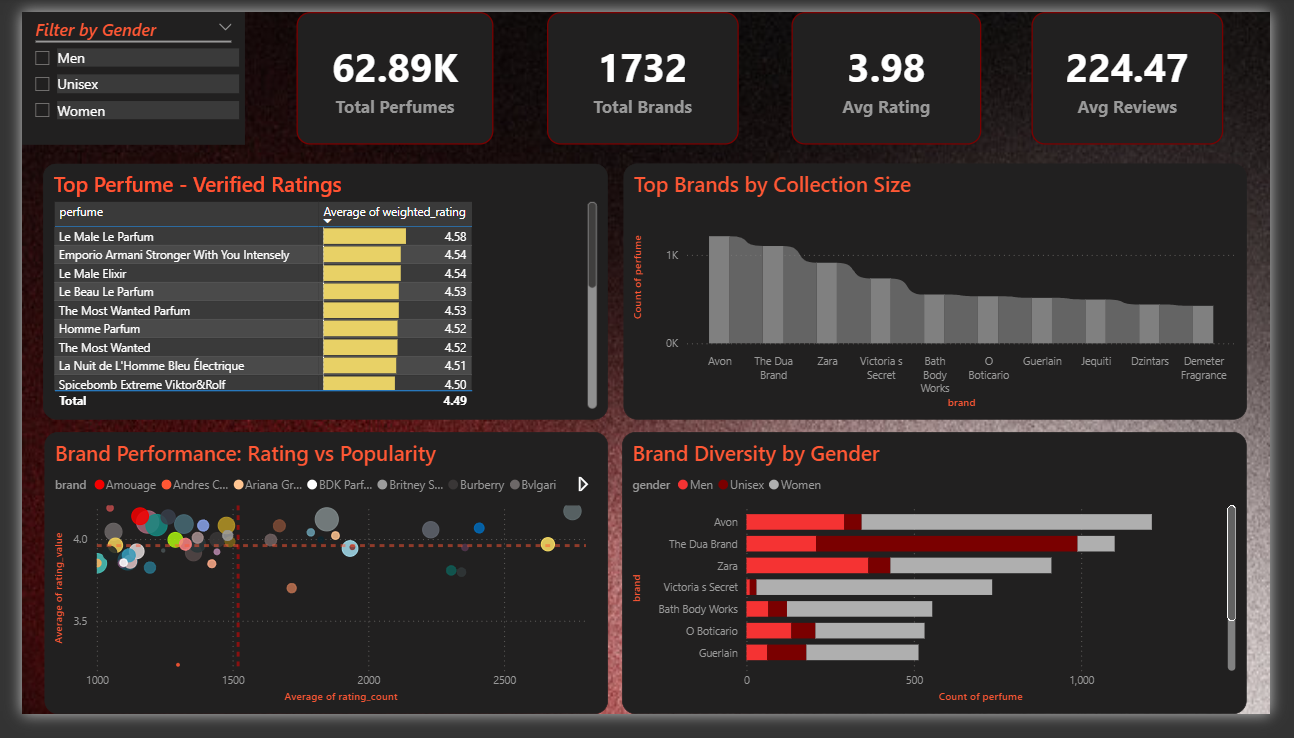
Interactive Dashboard
Open Live Report →4 Report Pages
Overview - Notes - Brands - Trends
Drill-Through
Click any brand to deep-dive
The “Aha!” Moments & True Consensus
The visualization stripped away market noise and revealed highly actionable insights about what truly drives consumer approval in the fragrance market.
Fresh & Citrus Dominate Volume - But Not Ratings
While Fresh and Citrus accords dominate sheer market production volume, deeper analysis revealed that fragrances built around warmer, complex accords (Vanilla, Amber, Tobacco, Oud, Warm Spices) consistently achieved the highest weighted ratings.
Fresh
Top volume accord
Warm
Top rated accord
60K+
Perfumes analyzed
Warm & Complex Accords Win True Consumer Consensus
The refined rankings surfaced fragrances like Le Male Le Parfum, Stronger With You Intensely, and Spicebomb Extreme. The common denominator is a refined balance of sweet, spicy, and warm woody bases - consistently earning the highest weighted scores.
Whiskey
Top Rated Note
Warm Spicy
Highest Engagement
100%
Bias corrected
Consumer Consensus Leaderboard
| Rank | Brand | Fragrance | Weighted Score | Votes | vs Mean |
|---|---|---|---|---|---|
| 01 | Jean Paul Gaultier | Le Male Le Parfum | 4.58 | 13,406 | +0.46 |
| 02 | Giorgio Armani | Stronger With You Intensely | 4.54 | 9,587 | +0.42 |
| 03 | Jean Paul Gaultier | Le Male Elixir | 4.54 | 10,388 | +0.42 |
| 04 | Azzaro | The Most Wanted Parfum | 4.53 | 3,842 | +0.41 |
| 05 | Jean Paul Gaultier | Le Beau Le Parfum | 4.53 | 7,651 | +0.41 |
Explore the full analysis
Full source code, SQL scripts, and the interactive Power BI report are available via the project links.